January 22, 2026 10 min read

Break New York City Construction Data Silos with Safety-First Reality Data Capture

Another morning chasing screenshots, photos, and a two‑week‑old plan set? In New York City, that fragmentation bleeds money—extra shed days, union standbys, avoidable rework. We replace it with one reality-based source of truth: drone reality data capture (RDC)—high‑res imagery, LiDAR (laser scanning that creates 3D points), and thermal—delivered safely, legally, and mapped to your tools. Field and office see the same thing. Today, not last month. Want to preview a sample orthomosaic (a stitched, measurable aerial map) and point cloud or book a 15‑minute fit call? We’ll keep it simple.
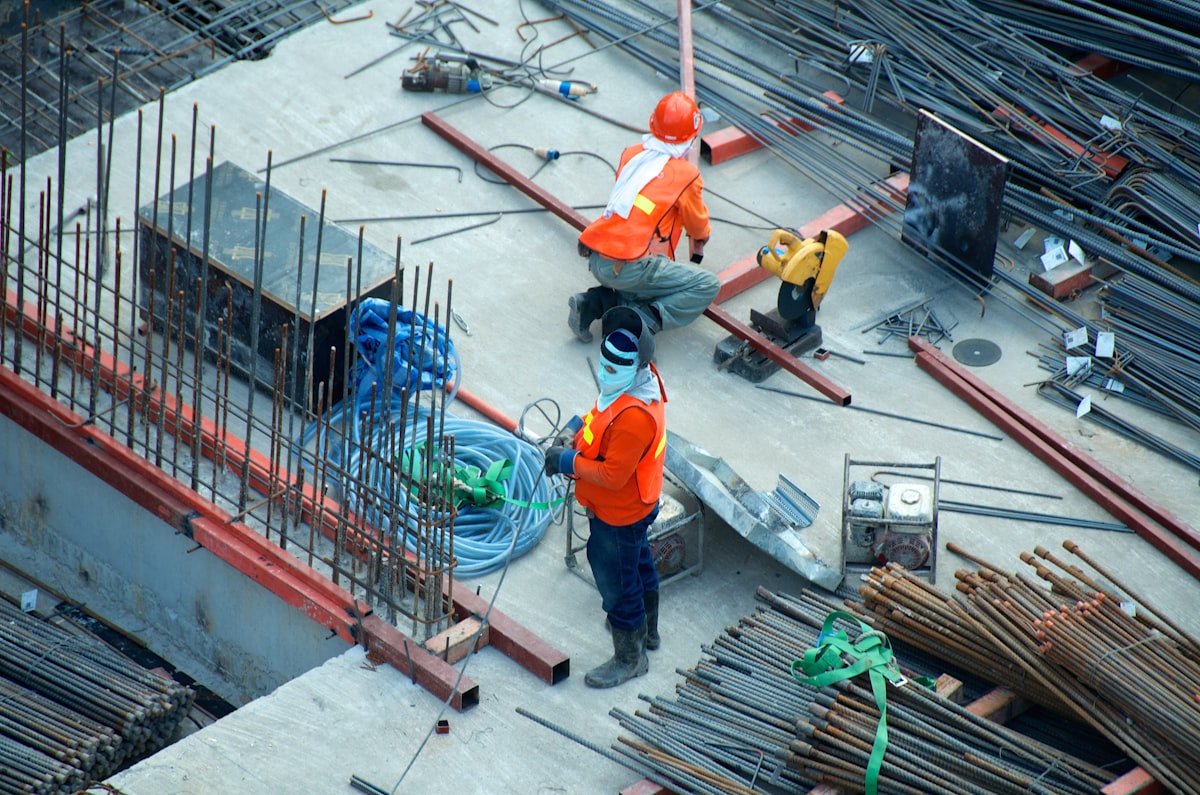
Without a live integration layer, silos form by default

Keeping it simple starts by admitting why NYC projects fragment. The model lives in BIM (Building Information Modeling) tools, while the field runs on phone photos, texts, and whiteboards. PDFs sit in network drives; decisions sit in email threads. Schedulers, inspectors, and safety apps track their worlds, but they don’t talk to each other. Meanwhile, the site changes hourly: a slab pour shifts rebar today, scaffolding moves tomorrow, hoist access flips by Friday. Static documents can’t keep up, so teams operate on different versions of reality.

You’ve probably seen these “sources of truth” pop up and collide:

BIM models and shop drawings live in separate, non‑integrated repositories.
Field notebooks, phone photos, and texts live outside the project platform.
Outdated site photos drive decisions weeks later—latency creates mistakes.
Discipline tools—scheduling, inspections, safety—export PDFs, not integrations.
 

Hidden costs: rework, delays, safety exposure, and claims risk

Picture Monday on a Brooklyn mid‑rise. The facade plan shows anchors at Grid C–5, but the weekend pour shifted embeds 6 inches. The crew drills, hits solid, and stops. Now the swing stage sits idle, the boom lift clocks standby, and your three‑day elevation window evaporates. You patch holes, issue a change order, reschedule patch/paint, and add two extra lift days. The sidewalk shed rental extends another week. All because the drawing set lagged reality by a few days. With a current orthomosaic and point cloud, you’d catch the offset before drilling—this is exactly why our drone facade inspection service exists.

Those misses aren’t one‑offs; silos quietly tax projects in five buckets:

  • Rework and change orders when as‑built deviates from model assumptions.
  • RFI (Request for Information) churn and slow answers leave crews and lifts idle, burning budget.
  • Crew stacking on tight footprints causes conflicts, double handling, and missed crane windows.
    Safety exposures from guesswork near edges, live systems, or unknown penetrations.
  • Claims risk rises when documentation is outdated, ambiguous, or scattered across apps. 

Why the usual fixes don’t work—and sometimes make silos worse

Weekly walkdowns capture a snapshot, not the mid‑week changes that derail work. By Wednesday, that “current” photo set is stale. 2D markups (flat PDFs) sit on top of drawings but aren’t tied to the model, so geometry and notes drift apart. Teams plan against outdated basemaps (background site images) and stack errors on errors. Meanwhile, decisions scatter across email threads and chats; half the team never sees the context, only the conclusion. Even “integrations” move files, not meaning—exports and uploads break version history and naming. You’re left reconciling three truths: field, model, and inbox. That gap is where schedule and money disappear.

What fixes this isn’t more documents—it’s a single, always‑current spatial context everyone can open inside the tools you already use. Think measurable maps, 3D reality, and photos linked to tasks and drawings, updated to the rhythm of your schedule. When reality becomes the integration layer, silos dissolve. So how do you do that without disrupting the job? That’s where reality data capture comes in.

RDC: The integration layer between site reality and your tools

You asked how to do this without disrupting the job—by making reality the integration layer. Reality Data Capture (RDC) uses photogrammetry (photo‑based 3D), LiDAR (laser scanning) and thermal (infrared heat mapping) to create accurate, measurable site models mapped to your project coordinate system. We align that data to BIM (Building Information Modeling) and your PM stack—Procore, Autodesk Construction Cloud (ACC), Oracle Aconex, and schedule tools like Primavera P6 (P6) and Synchro (4D sequencing). Outputs flow in as orthomosaics, point clouds, and tagged photos you can measure against drawings. On a Midtown job, a Monday capture resolved dock conflicts before Tuesday deliveries. Review inside your tools—no new software to learn. When needed, we deploy LiDAR scanning services and targeted aerial inspection services to hit accuracy and safety thresholds.

Scan the quick before‑and‑after below. It maps common silo pain to concrete RDC fixes inside your stack—then we’ll show you how to roll this out in a four‑week playbook.

Area Siloed Pain RDC Fix Integration Example Field Impact
Site logistics Conflicting laydown paths Georeferenced orthos align routes Procore map + Synchro sequence Fewer material clashes
Structural embeds As-built drift vs. model Scan-to-model QA flags variance Autodesk ACC Issues Reduced rework
MEP coordination Hidden field interferences Dense point clouds for clash check Navisworks + RDC overlay Fewer RFIs
Facade planning Access planned on assumptions Facade capture validates anchors Procore Observations Safer, faster installs
Closeout docs Photos spread across drives Single spatial index of records ACC + Procore Photos Faster turnover

Roll out RDC in 4 weeks, from pilot to steady state

We shift risk off the structure and onto sensors: ground‑based crews, stabilized zoom for sub‑millimeter cracks, and disciplined flight envelopes. Coverage imp

Faster turnover starts with a simple 4‑week plan from pilot to steady state. We align safety, integrate your tools, prove value, then shift into ongoing construction monitoring with drones that feeds schedules and pay apps.

Week 1: Discovery & Alignment: Define objectives, risks, deliverables; map BIM integrations; confirm NYC safety plan, permissions, and ground control targets.

Week 2: Baseline Capture: Fly exterior/interior; register to control; deliver orthomosaics and point clouds; validate accuracy with spot checks.

Week 3: Integrate & Train: Publish layers to Procore and ACC; enforce naming standards; run coordination meetings using RDC overlays in Navisworks/Revit.

Week 4: Monitor & Iterate: Set capture cadence tied to milestones; automate issues; track adoption and decision speed; adjust routes and permissions.

Optional: Specialty Scans: Thermal imaging, LiDAR densification, or confined‑space captures for water ingress, envelope leaks, or forensic preservation as risk dictates.

Where RDC removes silos across your project lifecycle

Those specialty scans you just mapped aren’t theoretical—they pay off across your job. From New York City (NYC) Local Law 11 cycles to NYC aerial infrared thermography, plus handovers via building inspections with drones and drone building inspection—here’s where RDC (Reality Data Capture) removes friction. Next, we’ll show project managers (PMs) and schedulers how to make this their weekly rhythm.

  • Preconstruction logistics: Plan crane swings, laydown, and access with current orthos; catch conflicts before mobilization and permit filings.
  • Earthwork & grading: Compare cut/fill to design using point clouds; validate quantities with contractor, subs, and owner.
  • Structural QA/QC: Overlay scans on models to flag embed/anchor drift early and avoid downstream rework.
  • MEP rough-in verification: Validate routing and clearances before concealment to prevent costly re-openings and change orders.
  • Facade compliance & maintenance: Tie captures to inspection workflows under NYC Local Law 11; triage critical vs. maintenance items and plan safe access.
  • Thermal & envelope diagnostics: Use aerial infrared thermography to spot moisture and heat anomalies; verify repairs after rain events.
  • Owner turnover & FM: Deliver a spatial index of records via building inspections with drones and drone building inspection; speed handover and work orders.

For PMs and schedulers: make RDC your weekly source of truth

Handovers get faster with a spatial index—your weekly controls can too. When our drone construction inspection feeds Procore, Oracle Aconex, Autodesk Construction Cloud (ACC), and schedule tools like Primavera P6 and Synchro (4D sequencing), you see measurable reality in look‑aheads, pay apps, and issues. Here’s how that shows up for you.

  • Variance visibility: Auto-flag deviations; push as Issues to ACC/Procore with pins, screenshots, and deltas; assign owners and due dates automatically.
  • Schedule accountability: Link captures to milestones and 3‑week look‑aheads; visualize planned vs actual; surface blockers before they slip critical path.
  • Fewer RFIs (Requests for Information): Share measurable orthos and 3D context; designers answer with markups, not guesswork—cut turnaround from days to hours.
  • Validated closeout: Verify quantities and installed conditions against model; back pay applications with measurements and photos; hand over a clean, searchable record.

Engineers and architects: design with the real world, not assumptions

That clean, searchable record PMs use at closeout? As designers, you can use the same reality to make confident choices. Our drone inspections for engineers feed current point clouds (3D measurements) and orthomosaics (measurable aerial maps) into your BIM (Building Information Modeling) tools for routing, compliance, and documentation. NYC safety next.

  • Site reality for design: Use current point clouds and orthomosaics for grading checks, access routes, and temporary works planning.
  • Clash sensitivity: Check MEP (mechanical, electrical, plumbing) against as-built drift using scan-to-model workflows; flag 1–2 inch variances before ceilings close.
  • Regulatory readiness: Capture conditions—egress clearances, sidewalk shed impacts, crane envelopes—so DOB (Department of Buildings) and FDNY (Fire Department) submittals land cleanly.
  • Change-proof documentation: Maintain a living spatial record—time-stamped captures linked to sheets—so revisions and addenda reflect what’s actually built.

Safety-first, compliant RDC for NYC and Philadelphia

That living, time-stamped record only holds up if it’s captured safely and legally. What does that mean on your site? We keep your teams off ladders and swing stages by flying exterior and interior scans, then anchoring every image to coordinates, time, and pilot logs. In New York City, our New York City drone construction inspection workflows plan around FAA Part 107 (commercial drone rules), LAANC (airspace authorization), and NYC (New York City) takeoff/landing permissions—so you get measurable data without sidewalk chaos. In Philadelphia, our Philadelphia construction drone inspection approach coordinates with property owners and Class B (busy airport) airspace to stay compliant. Practically, this means faster inspections—think a 30–45 minute roof capture at 1–2 centimeters per pixel—and defensible documentation: geotagged photos, flight plans, and originals ready for QA (quality assurance) or claims. Safer for crews. Stronger for compliance.

Below is a quick matrix linking tasks to risks—and how RDC reduces both.

Task Traditional Risk RDC/Drone Method Risk Reduced
Facade checks Work at height on swing stages Exterior capture with high-zoom imagery Fewer exposure hours aloft
Roof inspections Unprotected edges and trip hazards Aerial mapping with thermal overlay Reduced fall potential for crews
Confined areas Limited access and low air quality Small drone or handheld three-dimensional scan Lower entry frequency and duration
Night checks Low visibility hazards for spotters Planned, authorized flights with lighting Better situational awareness for all

Results You Can Measure: NYC Case and ROI Model

Better situational awareness for all is useful—but does it move the numbers? On a composite NYC mid‑rise renovation, RDC (Reality Data Capture) paid for itself. Weekly captures flagged mislocated facade embeds early; crews adjusted before drilling. A dense point cloud verified MEP (mechanical, electrical, plumbing) clearances, preventing a ceiling reopen. The same dataset produced closeout as‑builts without scavenging photos. Directionally, we saw rework tickets down roughly 20–30%, RFI (Request for Information) responses compress from 4–5 days to 1–2, and roof access events reduced by about a third. Shed time shortened by one to two weeks. Results vary by scope and discipline, but the pattern holds: earlier truth, fewer surprises, steadier schedule.

Below is a modeled ROI framework—illustrative ranges, not guarantees—to help you ballpark value on your project. Use your actual rates, quantities, and durations to replace the placeholders.

Category Baseline With RDC KPI/How Measured
Rework hours Frequent field fixes, patching, drill-and-fill cycles Modeled 10–30% reduction via early variance detection Punchlist items and rework tickets
RFI turnaround Multi-day delays awaiting field photos and measurements Modeled 25–50% faster responses with measurable RDC context RFI cycle time in project platform
Travel/time on site Multiple risky access events for inspections and checks Modeled 20–40% fewer trips using scheduled captures Logged access events and permit pulls
Schedule variance Slippage on critical path from late surprises Modeled 10–20% variance reduction with current site context Look-ahead plan versus measured actual progress

Why AeroSpect NY: Your NYC‑Proven, Safety‑First Integration Partner

Ready to turn look‑aheads versus measured actuals into a reliable habit? That’s where we come in. Since 2018, AeroSpect NY has run FAA Part 107 operations (commercial drone rules), combining LiDAR (laser scanning), aerial thermography (infrared heat mapping), and high‑res imagery with project management (PM) and BIM (Building Information Modeling) stacks like Procore and Autodesk Construction Cloud (ACC). Our NYC‑proven pilots plan around airspace, permits, and the public; our safety workflows cover takeoff/landing approvals, barricades, spotters, and documented flight plans. You get integrated deliverables—orthomosaics, point clouds, meshes, and PDF findings—named, versioned, and ready for Procore/ACC issues, Bluebeam markups, and Navisworks checks. We operate nationwide, but New York City is our home field. The result: faster decisions, clean records, and a 4‑week rollout that sticks.

See It In Your Stack

Want a lightweight start? Request a 15-minute site assessment or a demo in your Procore/ACC project; we’ll align deliverables, formats, and accuracy to your workflow.

Implementation Checklist: Bring Reality Data Into Every Decision

Booked that 15‑minute assessment or Procore/ACC demo? Use this fast-start checklist to turn alignment into action this week—clear roles, simple standards, measurable wins. Questions? FAQs next.

Define outcomes: Pick 2–3 decisions to improve this month—pay app validation, facade QA, or schedule look‑ahead risks—with measurable thresholds and owners.
Map integrations: Confirm Procore, ACC, and Aconex connections; identify P6 or Synchro touchpoints; decide where orthos, point clouds, and issues live.
Set capture cadence: Tie flights and scans to look‑aheads—weekly for progress, ad hoc after changes, thermal at night or post‑rain.
Name it right: Standardize layers, dates, and coordinate systems—Project_Site_EW01_2026‑02‑05; include EPSG code, units, and versioning (v1.0, v1.1) in metadata.
Train the loop: In 15 minutes, show supers and PMs to pin issues from RDC, assign owners, set dates, and track closure.
Measure adoption: Track views, issues created, time‑to‑answer, and rework avoided; review weekly with leads; adjust cadence, scope, or training based on numbers.

RDC FAQs for Construction Teams

You’re measuring adoption and adjusting cadence—good. These quick answers cover the questions we hear most, so you can decide fast and keep the workflow moving safely and legally.

Q: What’s the difference between photogrammetry and LiDAR? A: Photogrammetry (photo‑based 3D) is great for textures and large exteriors; LiDAR (laser points) excels on edges and low‑texture surfaces. We align both to BIM (Building Information Modeling) coordinates for model comparisons.
Q: How often should we capture? A: Tie cadence to risk and milestones: weekly for fast‑moving interiors, biweekly for structure, monthly for facades. Add ad‑hoc scans after change events; thermal (infrared) at night or post‑rain for envelope checks.
Q: Can RDC integrate with our tools? A: Yes. We push orthos/photos to Procore, ACC (Autodesk Construction Cloud), and Aconex; issues sync with drawings. Schedule tie‑ins use P6 (Primavera) and Synchro (4D). Exports include GeoTIFF, LAS/LAZ, OBJ, and IFC.
Q: Is this compliant with local rules? A: Yes—when done right. We handle FAA Part 107 (commercial drone rules), LAANC (airspace), NYC takeoff/landing permissions, and property access. AeroSpect scopes lead times, files approvals, and documents flights for defensible records.
Q: Who needs training? A: PMs, supers, VDC (Virtual Design and Construction), and field leads. We run 30–45 minute sessions on pinning issues from orthos/point clouds, naming standards, permissions, and meeting cadence so updates drive decisions, not side chats.

Unify your team around reality today

Those 30–45 minute sessions are enough to get your team pinning issues—ready to use that on your job? When decisions are anchored in reality, delays shrink, budgets hold, and safety exposure drops. Most teams cut RFI (Request for Information) turnaround 25–50% in month one. We’ll handle compliance, setup, and integrations; you get measurable maps, three-dimensional context, and records. No new software. Bring reality data capture to your current project and make next week’s decisions with the site you have.


January 22, 2026 10 min read

Another morning chasing screenshots, photos, and a two‑week‑old plan set? In New York City, that fragmentation bleeds money—extra shed days, union standbys, avoidable rework. We replace it with one reality-based source of truth: drone reality data capture (RDC)—high‑res imagery, LiDAR (laser scanning that creates 3D points), and thermal—delivered safely, legally, and mapped to your tools. Field and office see the same thing. Today, not last month. Want to preview a sample orthomosaic (a stitched, measurable aerial map) and point cloud or book a 15‑minute fit call? We’ll keep it simple.

Without a live integration layer, silos form by default

Keeping it simple starts by admitting why NYC projects fragment. The model lives in BIM (Building Information Modeling) tools, while the field runs on phone photos, texts, and whiteboards. PDFs sit in network drives; decisions sit in email threads. Schedulers, inspectors, and safety apps track their worlds, but they don’t talk to each other. Meanwhile, the site changes hourly: a slab pour shifts rebar today, scaffolding moves tomorrow, hoist access flips by Friday. Static documents can’t keep up, so teams operate on different versions of reality.

You’ve probably seen these “sources of truth” pop up and collide:

BIM models and shop drawings live in separate, non‑integrated repositories.
Field notebooks, phone photos, and texts live outside the project platform.
Outdated site photos drive decisions weeks later—latency creates mistakes.
Discipline tools—scheduling, inspections, safety—export PDFs, not integrations.
 

Hidden costs: rework, delays, safety exposure, and claims risk

Picture Monday on a Brooklyn mid‑rise. The facade plan shows anchors at Grid C–5, but the weekend pour shifted embeds 6 inches. The crew drills, hits solid, and stops. Now the swing stage sits idle, the boom lift clocks standby, and your three‑day elevation window evaporates. You patch holes, issue a change order, reschedule patch/paint, and add two extra lift days. The sidewalk shed rental extends another week. All because the drawing set lagged reality by a few days. With a current orthomosaic and point cloud, you’d catch the offset before drilling—this is exactly why our drone facade inspection service exists.

Those misses aren’t one‑offs; silos quietly tax projects in five buckets:

Rework and change orders when as‑built deviates from model assumptions.
RFI (Request for Information) churn and slow answers leave crews and lifts idle, burning budget.
Crew stacking on tight footprints causes conflicts, double handling, and missed crane windows.
Safety exposures from guesswork near edges, live systems, or unknown penetrations.
Claims risk rises when documentation is outdated, ambiguous, or scattered across apps.
 

Why the usual fixes don’t work—and sometimes make silos worse

Weekly walkdowns capture a snapshot, not the mid‑week changes that derail work. By Wednesday, that “current” photo set is stale. 2D markups (flat PDFs) sit on top of drawings but aren’t tied to the model, so geometry and notes drift apart. Teams plan against outdated basemaps (background site images) and stack errors on errors. Meanwhile, decisions scatter across email threads and chats; half the team never sees the context, only the conclusion. Even “integrations” move files, not meaning—exports and uploads break version history and naming. You’re left reconciling three truths: field, model, and inbox. That gap is where schedule and money disappear.

What fixes this isn’t more documents—it’s a single, always‑current spatial context everyone can open inside the tools you already use. Think measurable maps, 3D reality, and photos linked to tasks and drawings, updated to the rhythm of your schedule. When reality becomes the integration layer, silos dissolve. So how do you do that without disrupting the job? That’s where reality data capture comes in.

RDC: The integration layer between site reality and your tools

You asked how to do this without disrupting the job—by making reality the integration layer. Reality Data Capture (RDC) uses photogrammetry (photo‑based 3D), LiDAR (laser scanning) and thermal (infrared heat mapping) to create accurate, measurable site models mapped to your project coordinate system. We align that data to BIM (Building Information Modeling) and your PM stack—Procore, Autodesk Construction Cloud (ACC), Oracle Aconex, and schedule tools like Primavera P6 (P6) and Synchro (4D sequencing). Outputs flow in as orthomosaics, point clouds, and tagged photos you can measure against drawings. On a Midtown job, a Monday capture resolved dock conflicts before Tuesday deliveries. Review inside your tools—no new software to learn. When needed, we deploy LiDAR scanning services and targeted aerial inspection services to hit accuracy and safety thresholds.

Scan the quick before‑and‑after below. It maps common silo pain to concrete RDC fixes inside your stack—then we’ll show you how to roll this out in a four‑week playbook.

Area Siloed Pain RDC Fix Integration Example Field Impact
Site logistics Conflicting laydown paths Georeferenced orthos align routes Procore map + Synchro sequence Fewer material clashes
Structural embeds As-built drift vs. model Scan-to-model QA flags variance Autodesk ACC Issues Reduced rework
MEP coordination Hidden field interferences Dense point clouds for clash check Navisworks + RDC overlay Fewer RFIs
Facade planning Access planned on assumptions Facade capture validates anchors Procore Observations Safer, faster installs
Closeout docs Photos spread across drives Single spatial index of records ACC + Procore Photos Faster turnover

Roll out RDC in 4 weeks, from pilot to steady state

We shift risk off the structure and onto sensors: ground‑based crews, stabilized zoom for sub‑millimeter cracks, and disciplined flight envelopes. Coverage imp

Faster turnover starts with a simple 4‑week plan from pilot to steady state. We align safety, integrate your tools, prove value, then shift into ongoing construction monitoring with drones that feeds schedules and pay apps.

Week 1: Discovery & Alignment: Define objectives, risks, deliverables; map BIM integrations; confirm NYC safety plan, permissions, and ground control targets.
Week 2: Baseline Capture: Fly exterior/interior; register to control; deliver orthomosaics and point clouds; validate accuracy with spot checks.
Week 3: Integrate & Train: Publish layers to Procore and ACC; enforce naming standards; run coordination meetings using RDC overlays in Navisworks/Revit.
Week 4: Monitor & Iterate: Set capture cadence tied to milestones; automate issues; track adoption and decision speed; adjust routes and permissions.
Optional: Specialty Scans: Thermal imaging, LiDAR densification, or confined‑space captures for water ingress, envelope leaks, or forensic preservation as risk dictates.

roves because we capture nadir, oblique, and close‑up sets systematically. Data is measurement‑grade—RTK/PPK control, calibrated scale bars, and known lens models—so your NBIS (National Bridge Inspection Standards) coding and AASHTO (American Association of State Highway and Transportation Officials) notes are defensible. Turnaround is days, not weeks.

Practically, that means 40–70% less field time, closures cut to off‑peak hours, and deliverables in 48–96 hours. You get orthos, 3D models, point clouds, and annotated crack maps packaged for ProjectWise and BIM 360 with chain‑of‑custody. The decision brief is plain: restrict, monitor, or repair—backed by evidence you can share with reviewers and stakeholders.

Safety first: Ground-based crews reduce work-at-height and over-water exposure
Complete coverage: Underdeck, towers, bearings, and tight bays captured consistently
Measurement-ready data: RTK/PPK photogrammetry and LiDAR deliver survey-grade geometry
Speed to insight: Faster capture, quicker processing, decision briefs in days

Where RDC removes silos across your project lifecycle

Those specialty scans you just mapped aren’t theoretical—they pay off across your job. From New York City (NYC) Local Law 11 cycles to NYC aerial infrared thermography, plus handovers via building inspections with drones and drone building inspection—here’s where RDC (Reality Data Capture) removes friction. Next, we’ll show project managers (PMs) and schedulers how to make this their weekly rhythm.

Preconstruction logistics: Plan crane swings, laydown, and access with current orthos; catch conflicts before mobilization and permit filings.
Earthwork & grading: Compare cut/fill to design using point clouds; validate quantities with contractor, subs, and owner.
Structural QA/QC: Overlay scans on models to flag embed/anchor drift early and avoid downstream rework.
MEP rough-in verification: Validate routing and clearances before concealment to prevent costly re-openings and change orders.
Facade compliance & maintenance: Tie captures to inspection workflows under NYC Local Law 11; triage critical vs. maintenance items and plan safe access.
Thermal & envelope diagnostics: Use aerial infrared thermography to spot moisture and heat anomalies; verify repairs after rain events.
Owner turnover & FM: Deliver a spatial index of records via building inspections with drones and drone building inspection; speed handover and work orders.

For PMs and schedulers: make RDC your weekly source of truth

Handovers get faster with a spatial index—your weekly controls can too. When our drone construction inspection feeds Procore, Oracle Aconex, Autodesk Construction Cloud (ACC), and schedule tools like Primavera P6 and Synchro (4D sequencing), you see measurable reality in look‑aheads, pay apps, and issues. Here’s how that shows up for you.

Variance visibility: Auto-flag deviations; push as Issues to ACC/Procore with pins, screenshots, and deltas; assign owners and due dates automatically.
Schedule accountability: Link captures to milestones and 3‑week look‑aheads; visualize planned vs actual; surface blockers before they slip critical path.
Fewer RFIs (Requests for Information): Share measurable orthos and 3D context; designers answer with markups, not guesswork—cut turnaround from days to hours.
Validated closeout: Verify quantities and installed conditions against model; back pay applications with measurements and photos; hand over a clean, searchable record.

Engineers and architects: design with the real world, not assumptions

That clean, searchable record PMs use at closeout? As designers, you can use the same reality to make confident choices. Our drone inspections for engineers feed current point clouds (3D measurements) and orthomosaics (measurable aerial maps) into your BIM (Building Information Modeling) tools for routing, compliance, and documentation. NYC safety next.

Site reality for design: Use current point clouds and orthomosaics for grading checks, access routes, and temporary works planning.
Clash sensitivity: Check MEP (mechanical, electrical, plumbing) against as-built drift using scan-to-model workflows; flag 1–2 inch variances before ceilings close.
Regulatory readiness: Capture conditions—egress clearances, sidewalk shed impacts, crane envelopes—so DOB (Department of Buildings) and FDNY (Fire Department) submittals land cleanly.
Change-proof documentation: Maintain a living spatial record—time-stamped captures linked to sheets—so revisions and addenda reflect what’s actually built.

Safety-first, compliant RDC for NYC and Philadelphia

You documented everything—here's how those files become decisions, mapped from deliverable to user to action; see the map below, then a quick NYC (New York City) case with the numbers.

Deliverable Used by Enables
Annotated defect photo logs with measurements Inspectors and PEs (professional engineers) Prioritize repairs and track trends over time
Orthomosaics (map-accurate images) and point clouds (laser scanning/3D from photos) Survey and design teams Dimensional checks and clash detection in CAD (design software) models
3D underdeck models (mesh and point cloud) Asset managers Clearance analysis and maintenance planning
Thermal maps (radiometric infrared) Maintenance Targeted follow-up validation of anomalies
Issue register with severities and locations Project managers and owners Budgeting and scheduling across programs

72-Hour Turnaround, 48% Savings: NYC Truss Case

Those accuracy reports and chain‑of‑custody logs you just saw aren’t paperwork—they won rapid sign‑off on a Queens steel truss. Scope: rehab triage on five spans over tidal water, live traffic, and an adjacent rail line. Constraints: Class B (busy airport) shelves and limited launch zones. We flew a one‑day mission: 30x stabilized RGB (color) zoom for sub‑millimeter cracks, full‑frame photogrammetry (45‑megapixel images) for models, LiDAR (laser scanning) for clearances, and radiometric thermal (temperature‑per‑pixel) for moisture. Results: 12.5 site hours, 96% coverage, two 0.6–0.9 mm cracks, one loose hanger nut, and a cool joint flagged for follow‑up.

Traditional plan was UBIT (under‑bridge inspection truck) plus swing stage: four days, two lanes closed 10 hours/day, rail flaggers, and a barge on standby. Our drone capture cut field time 68% and lane closures to one lane for 6 hours off‑peak. Direct costs dropped an estimated 48%, and first deliverables landed in 72 hours with measurement reports and QA logs. The decision brief was clear: monitor the two micro‑cracks, tighten the hanger, and schedule sealing at the flagged joint. Now, what does that mean in dollars? Let’s run the ROI math next.

For rehab phases, we fold the same workflow into progress monitoring—monthly capture, change detection, and punch‑list validation—via our drone construction inspection approach, so you see issues early and keep schedules honest.

Budget the Payback, Not Just the Price

So does that monthly capture and change detection pay off—here are the ROI (return on investment) drivers with NYC (New York City) example ranges; your numbers vary by span type and agency.

Driver Effect Example impact
Reduced access equipment Cuts direct costs -20–40% vs. scaffolding/barges
Faster capture-to-report Compresses schedules Days to hours for small spans
Fewer lane closures Lowers traffic control costs Off-peak or no closures
More defects identified Avoids future failures Earlier remediation prevents escalations
Trendable data Optimizes maintenance Condition forecasting improves planning

Example: Traditional UBIT (under-bridge inspection truck) 2 days @ $12k/day = $24k; traffic control 2 lanes, 2 days @ $8k/day/lane = $32k; flaggers $3k/day × 2 = $6k; total $62k. Drone mission $9k + one off-peak lane $5k = $14k. Savings $48k; ROI = (62–14)/14 = 3.4x; payback in the first inspection cycle. Next: approvals and risk controls in NYC.

Compliance that unlocks ROI and reduces risk

1. ROI real—approvals: we handle FAA (Federal Aviation Administration) filings, NYC DOT OCMC (traffic permits), MTA (transit) and USCG (Coast Guard) coordination, and documentation so your NYC (New York City) flight gets yes and audit-ready data.

2. FAA Part 107: Remote ID (broadcast ID), LAANC (real-time approvals), and waivers for controlled airspace or specialized missions.

3. Night/over people: Night training, anti-collision lighting, OOP (operations over people) approvals, and ASTM F3322 parachute systems.

4. Data governance: Chain of custody, checksums (file integrity codes), encryption, role-based access, retention schedules, owner-controlled permissions.

5. DOT (Department of Transportation) acceptance: Accuracy reports, calibration logs, traceable deliverables aligned to AASHTO/NBIS (bridge standards).

6. Insurance & liability: COIs (certificates of insurance), $5M–$10M limits, additional insureds, waivers of subrogation, incident response plans.

Your First Drone Bridge Inspection: A 30‑Day NYC Plan

With insurance, permits, and risk controls in place, here’s a simple 30‑day plan covering scoping, safety, and deliverables—so you get a defensible decision fast and extend it to facades next.

Week 1 – Scope: Define elements, objectives, and tolerances; review sample outputs; share CAD (computer‑aided design)/as‑builts; set accuracy targets: 0.5 mm cracks, 1 in clearance.
Week 2 – Permits: Confirm airspace authorization and sign‑off; coordinate NYC DOT (Department of Transportation) traffic plan; arrange railroad and Coast Guard notices; finalize safety plan.
Week 3 – Pilot test: Fly one bay; run quality control (QC); verify crack sizing and clearance; deliver sample model and crack log in 72 hours.
Week 4 – Scale: Standardize naming, flight plans, and QA/QC (quality assurance/quality control); save repeatable templates; enable change detection; publish a playbook for teams.
Vendor checklist: NYC airspace fluency; insurance and COIs (certificates of insurance); fracture‑critical experience; zoom, LiDAR, thermal; NBIS/AASHTO reporting; chain‑of‑custody; 72‑hour turnaround; verifiable references and sample deliverables.

From Bridges to Facades: Same Rigor, Faster Decisions

That vendor checklist you just ran through carries straight over to facades. Same airspace fluency, same chain-of-custody, same 72-hour turnarounds—just vertical. FISP (Façade Inspection Safety Program) and LL11 (Local Law 11) still need close-range evidence without putting people on every drop. Access is tricky: street canyons, setbacks, scaffolds, and sidewalk sheds. We pre-plan flight boxes like “Stack A–D, Zones 1–10,” lock GSD (ground sample distance) at 0.5 mm/pixel for crack sizing, and repeat those passes each cycle. Example: on a 12‑story masonry facade, we fly Stack B, Zones 3–6 in a 4‑minute oblique pass, then a normal-to-wall mosaic for measurement. Repeat paths next quarter give clean change detection. You get apples-to-apples comparisons.

Scheduling and QA feel familiar too. You still juggle permits, sidewalk sheds, and off-peak windows—coordinated with NYC DOB (Department of Buildings) instead of lane closures. We set lighting windows to avoid glass glare, place calibrated scale bars on balconies or setbacks, and log timestamps to the second. Example: a 30‑story curtain wall needed four swing-stage drops; drone triage cut that to two targeted drops, saving 2–3 nights of labor while flagging 0.3 mm cracks for hands-on verification. Every package ships with coverage maps, accuracy reports, and a defect register tied to elevation grids. The result is predictable reviews and fewer surprises for the QEWI (qualified exterior wall inspector).

Planning LL11 (Local Law 11) triage? Explore our drone facade inspection service for NYC-ready capture and deliverables.

Portfolio Programs That Keep Schedules Honest

If LL11 (Local Law 11) triage is on your mind, the next move is scaling the same rigor across every building you manage. We standardize orthomosaics (map-accurate wall images), 3D models, and defect logs into one schema, so your teams compare apples-to-apples across campuses. That means condition indices by elevation, crack progression charts by zone, and risk heatmaps you can brief in 10 minutes. Example: a 22‑building portfolio moved to semiannual cycles; emergency facade calls dropped 17% and budget variance tightened to ±5%. No guesswork. You get trend lines, not one-off photos—and a defensible record you can hand to auditors.

Coordinating 10 addresses in NYC is half the battle, so we centralize it. One master calendar aligns DOB (Department of Buildings) notifications, sidewalk-shed windows, and tenant access with our flight slots, cutting repeat mobilizations. We pre-load COIs (certificates of insurance), security protocols, and lobby communications, then assign standard naming and floor/elevation grids for every site. Result: four weekend capture windows replace 30 scattered visits, and your PM (project manager) sees status in a single dashboard via BIM 360 (Autodesk collaboration) or your CMMS (computerized maintenance management system). Wondering about accuracy, approvals, winter wind, or night noise? We answer those in the FAQs next.

Ready to standardize at scale? Our drone building inspection program turns buildings into comparable datasets you can schedule, trend, and budget.

Bridge Inspection FAQs

Ready to standardize at scale? Before you schedule the first span, here are quick answers on operations, accuracy, weather, cost, approvals, and timelines—so you know what to expect.

  • How accurate are the measurements?: RTK (real-time kinematic) plus GCPs (ground control points) achieve 1–3 cm; crack sizing ±0.5 mm. Without control, 5–8 cm.

  • Can you inspect under the deck?: Yes—zoom, oblique passes, and caged drones; SLAM (simultaneous localization and mapping) holds position; scale bars support measurement.
  • What about wind and weather?: No‑go: sustained >22 mph, gusts >10 mph delta, rain or icing.

  • Mitigations: wind‑rated aircraft, crosswind limits, pauses, alternate windows.

  • How long until we get the report?: Same‑day triage for urgent calls; standard deliverables in 48–96 hours; complex LiDAR (laser scanning)/thermal fusions 3–5 days.

  • Do DOTs accept drone data?: Yes—when QA/QC (quality checks) and metadata meet NBIS/AASHTO. DOTs (state Departments of Transportation) require chain‑of‑custody.

  • How do you price a job?: Scope, sensors (zoom, laser scanning, thermal), airspace, traffic control, rail/USCG (Coast Guard) coordination, and deliverables/turnaround drive cost.

  • Who owns the data?: You do. We act as custodian—chain‑of‑custody, encryption, defined retention. Access is owner‑controlled; web viewer or offline hard drive, per policy.

  • Do you coordinate traffic control?: Yes—NYC DOT (Department of Transportation) permits, flaggers, off‑peak windows, and railroad/USCG (Coast Guard) notices coordinated with your team.

Get Your Tailored Plan and Sample Report

With traffic control and approvals covered, let’s scope your first span. In 20 minutes, we’ll map objectives, risks, and budget bands, then share sample deliverables you can circulate. Since 2018, AeroSpect NY has completed 200+ NYC (New York City) missions—bridges, facades, and rail corridors. You’ll see safety controls, a fast 30‑day schedule, and cost scenarios side‑by‑side with traditional access. No guesswork. Just a plan you can approve.

Standards, Sources, and Credibility

Before you request your bridge inspection plan, review these reputable sources we align with: FHWA, AASHTO, FAA, NIST, peer‑reviewed studies, and DOT pilots.

  • FHWA bridge inventory data
  • AASHTO inspection manuals/guides
  • FAA Part 107 resources
  • NIST measurement/accuracy papers
  • Peer-reviewed UAS inspection studies
  • DOT case reports or pilots

About Our Operations Lead

Those DOT (Department of Transportation) case reports and pilots have my fingerprints—I lead operations at AeroSpect NY and hold an FAA (Federal Aviation Administration) Part 107 Remote Pilot certificate, with 6+ years in NYC airspace and 200+ missions since 2018. I’m trained for night operations, OOP (operations over people), and radiometric thermography (temperature‑per‑pixel thermal imaging), with recent work on East River spans, Harlem River rail corridors, and LL11 (Local Law 11) facades. Happy to share sample outputs.

Get Expert Help

Let's discuss your site and timeline

Message Sent!

Thank you for reaching out.
We'll get back to you shortly.